AT A GLANCE
What you’ll learn
- Audit real recurring work before copying a generic virtual assistant task list.
- Choose a general VA, executive assistant, admin assistant, or specialist from the primary ownership lane.
- Document decision rules, retained authority, and escalation conditions before granting access.
- Use structured interview evidence and a realistic prioritization exercise rather than tool keywords alone.
- Evaluate the paid trial and first month against accuracy, judgment, communication, and follow-through.
In this guide 18 sections
The short answer
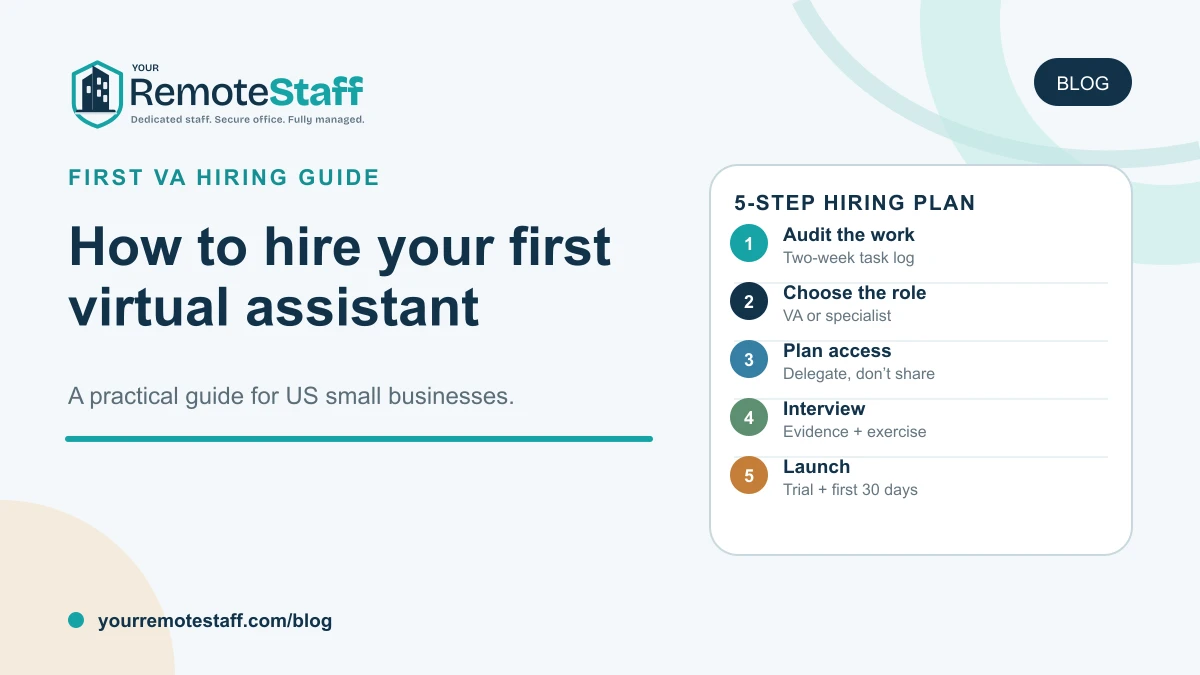
To hire your first virtual assistant, begin with the work—not a list of software or a promise to “get time back.” Audit two weeks of recurring tasks, group them into one coherent ownership lane, decide which assistant role matches that lane, and name the person who will set priorities and review the work.
Then write a role scorecard, prepare scoped access, interview candidates with a realistic prioritization exercise, and use the first month to prove that the operating rhythm works. A dedicated virtual assistant can own inbox triage, calendar coordination, CRM updates, meeting follow-through, and recurring task administration. The owner or manager still retains business judgment, approvals, sensitive decisions, and functional leadership.
This guide is for US founders, small-business owners, agency operators, and functional managers preparing to hire a first dedicated assistant—not for a company looking for an occasional one-off task.
Do not hire a vague promise
“Take things off my plate” describes a feeling, not a role. A strong first virtual assistant needs a recurring queue, decision rules, access boundaries, and one accountable manager. Define those before comparing candidates.
What a virtual assistant should mean for a small business
A virtual assistant is a remote professional who owns recurring coordination and administrative work through digital systems.
For a founder or operator, that often includes:
- Inbox triage and routine replies within approved rules
- Calendar upkeep and scheduling
- Meeting preparation, notes, and action tracking
- CRM contact, activity, and next-step updates
- Recurring task and deadline follow-through
- Template-based customer, vendor, or internal coordination
- File, document, and information organization
- Daily or weekly status summaries
“Virtual” describes where the work happens. It does not define the employment model, dedication level, working environment, or scope.
In YourRemoteStaff’s office-backed model, the virtual assistant is a dedicated professional working exclusively with your team from our managed office in India. You interview and choose the person and direct daily priorities. We manage the agreed recruitment, workspace, standard hardware, IT, HR, payroll, attendance, local support, and replacement layer around the seat.
That model is designed for an ongoing role. If you need a few unrelated tasks this month, a bounded project or flexible specialist may fit better until the workload becomes recurring.
Step 1: Audit two weeks of your actual work
Most first-time buyers start with a generic task list found online. That creates a job description that sounds comprehensive but does not reflect the owner’s real week.
Instead, keep a simple work log for two representative weeks.
Record:
| Work item | Frequency | Time pattern | Why it reaches you | Decision required | System/access |
|---|---|---|---|---|---|
| Example: schedule customer calls | Daily | Short requests throughout the day | No scheduling owner | Apply calendar rules; escalate conflicts | Email, calendar, scheduling tool |
| Example: update CRM after calls | Daily | Batch after meetings | Notes stay in the owner’s notebook | Follow defined fields and stages | CRM |
| Example: prepare Monday agenda | Weekly | Predictable | Inputs arrive from several people | Compile; owner sets priorities | Docs, task system |
| Example: chase open action items | Twice weekly | Recurring | Commitments rely on memory | Remind; escalate overdue decisions | Task system, email |
Do not estimate from memory at the end of the week. Capture tasks when they occur. Owners often remember the longest task but miss the dozens of small coordination events that fragment attention.
Classify every task into four groups
Delegate now
The work is recurring, processable, digitally deliverable, and reviewable.
Examples:
- Scheduling within documented rules
- Inbox labeling and escalation
- Routine CRM updates
- Meeting-note formatting
- Task reminders
- Approved template responses
- Recurring report preparation
Document first
The work could be delegated, but the rules currently live only in the owner’s head.
Examples:
- Which meeting requests deserve priority
- What counts as an urgent customer email
- Which CRM stage applies
- How travel preferences are ranked
- When a vendor request needs approval
Write a short decision rule or record a walkthrough before assigning it.
Retain
The work depends on owner authority, confidential judgment, or accountability that should remain internal.
Examples:
- Final pricing or hiring decisions
- Sensitive performance conversations
- Contract approval
- Bank or payment authorization
- Legal, tax, accounting, medical, or regulatory decisions
- Final commitments to customers or investors
The assistant may prepare information and coordinate the process without making the retained decision.
Route to a specialist
The work requires a different role.
Examples:
- Bookkeeping and reconciliations
- SEO strategy or paid-media management
- Software development
- Graphic or product design
- Technical customer support
- Legal drafting or professional advice
- High-volume structured research
A virtual assistant should not become a container for every task the owner dislikes.
Look for a coherent ownership lane
The first role is ready when the delegated tasks connect naturally.
A coherent general-VA lane might be:
Own daily inbox triage, scheduling, CRM updates, meeting action capture, and recurring follow-up so customer and internal commitments stay visible.
An incoherent lane might be:
Manage the calendar, write blog posts, run paid ads, reconcile accounts, design graphics, build lead lists, and update the website.
Both lists contain real work. Only the first describes one assistant role.
Step 2: Decide which assistant role you actually need
“Virtual assistant” is often used as a broad category. The workload may point to a more specific role.
| Primary recurring need | Better role hypothesis | Ownership emphasis |
|---|---|---|
| Inbox, calendar, scheduling, CRM hygiene, and task follow-through | Virtual assistant | Broad daily coordination |
| Complex executive calendar, travel, meeting preparation, stakeholder communication, and discretion | Executive assistant | Senior executive support and judgment |
| Documents, records, forms, checklists, and internal process coordination | Admin assistant | Back-office structure and process discipline |
| High-volume entry, cleanup, normalization, migration, and quality checks | Data entry specialist | Accurate structured processing |
| Market scans, competitor tracking, source verification, and concise summaries | Research assistant | Evidence gathering and synthesis |
| ICP research, prospect lists, CRM enrichment, and outreach preparation | Lead generation assistant | Sales-data preparation |
Choose a general virtual assistant for daily coordination
A dedicated virtual assistant fits when the work crosses inbox, calendar, CRM, meetings, and recurring task follow-through—but remains one connected operating lane.
The strongest signal is not that the owner is busy. It is that small coordination tasks repeatedly interrupt higher-value work and need the same person to retain preferences and context.
Choose an executive assistant when the calendar carries business judgment
A dedicated executive assistant is a better fit when:
- Calendar conflicts require priority judgment
- Travel is frequent or complex
- Meetings need briefing materials and stakeholder context
- The role handles sensitive leadership information
- Senior relationships require careful communication
- The executive expects proactive preparation and follow-through
An executive assistant is not simply a more experienced scheduler. The role sits closer to leadership decisions and requires stronger discretion, anticipation, and communication.
Choose an admin assistant for documents and recurring processes
A dedicated admin assistant fits when the main queue is:
- Document preparation and formatting
- Digital filing and record maintenance
- Forms, packets, and standard paperwork
- Recurring process checklists
- Approval and signature coordination
- Spreadsheet trackers and operating registers
If the inbox and calendar are secondary, “virtual assistant” may be too broad a title.
Choose a data entry specialist for volume and accuracy
A dedicated data entry specialist is appropriate when the work consists primarily of structured records, cleanup, migration, duplicate review, validation, or high-volume processing.
Do not hide a production data role inside a general assistant description. The screening exercise, quality controls, and workload measures are different.
Choose a research assistant for recurring evidence work
A dedicated research assistant fits when the team repeatedly needs:
- Market or competitor scans
- Source discovery and verification
- Structured data compilation
- Comparison matrices
- Monitoring
- Evidence-backed briefs
Research requires source judgment and synthesis. It should not be treated as casual browsing between calendar tasks.
Choose a lead generation assistant for sales-data preparation
A dedicated lead generation assistant fits when the company has a defined ideal customer profile and salespeople spend too much time finding, checking, enriching, and organizing prospect records.
The role prepares pipeline-ready data. Sales strategy, messaging approval, and customer conversations remain with the appropriate sales or growth owner.
Practical next step
Turn the decision framework into a role requirement your team can use.
Review the dedicated virtual assistant role→Step 3: Write the role around outcomes and decision rules
Once the role is selected, write a brief that explains a normal week.
Use this one-sentence role definition
We need a dedicated [assistant role] to own [recurring outcome] across [systems/workflows] because [current constraint] is displacing [business priority]. [manager] will set priorities, approve access, and review the work.
Example:
We need a dedicated virtual assistant to own inbox triage, calendar coordination, CRM updates, meeting action capture, and routine follow-up because those tasks are displacing founder sales and customer time. The founder will define decision rules, approve access, and review the daily exception summary.
Define five parts of the role
1. Ownership
What should stay reliably true because this person owns the lane?
Examples:
- Calendar requests follow agreed priority rules
- Customer and internal messages are triaged
- Meetings have the required preparation
- CRM records reflect current activity and next steps
- Open actions remain visible
2. Boundaries
What remains with the owner or another specialist?
Examples:
- Pricing decisions
- Sensitive customer commitments
- Financial approvals
- Employment decisions
- Legal or accounting judgment
- Marketing or technical strategy
3. Decision rules
What may the assistant handle independently, and what must be escalated?
Examples:
- Accept 30-minute introductory calls only in approved windows
- Move internal meetings before changing customer meetings
- Draft routine replies from approved templates
- Escalate any complaint, payment request, contract language, or unusual attachment
- Never export CRM records without approval
4. Inputs
What does the assistant need?
- Priority map
- Calendar rules
- Contact and stakeholder context
- Email templates
- CRM definitions
- Recurring checklists
- Meeting formats
- File and naming conventions
5. Evidence
How will the manager know the role is working?
- Fewer scheduling conflicts
- Current CRM records
- Complete meeting actions
- Visible blockers
- Consistent routine follow-up
- Appropriate escalation
- Lower rework
Do not promise a fixed number of hours “saved.” Measure whether the agreed operating queue is becoming reliable.
Step 4: Prepare work samples and documentation
Your first assistant does not need a perfect operations manual. They do need enough context to avoid guessing about consequential decisions.
Create a compact starter pack.
Business context
- What the company does
- Priority customers and stakeholders
- Current goals
- Team structure
- Important recurring meetings
- Terms and acronyms
Inbox rules
- Labels or folders
- VIP senders
- Routine message types
- Approved templates
- Urgency definitions
- Escalation examples
- Messages the assistant must never answer independently
Calendar rules
- Working hours and protected time
- Meeting-length defaults
- Buffers
- Priority order
- Rescheduling rules
- Travel or preparation time
- People who can override normal rules
CRM rules
- Required fields
- Stage definitions
- Source and activity conventions
- Duplicate handling
- Next-step expectations
- Records the assistant may edit
- Changes requiring review
Task and follow-up rules
- Where tasks live
- Required fields
- Owners and due dates
- Reminder cadence
- What becomes overdue
- Escalation timing
- Daily or weekly summary format
Use real examples with sensitive information removed or properly protected. A worked example often teaches more than a long policy.
Step 5: Design access without sharing master credentials
Virtual assistants often work in systems close to the owner: email, calendar, CRM, files, task tools, and communication platforms. Access must be part of role design.
Create this register before the start date:
| System | Business owner | Assistant permission | Independent actions | Approval required | Removal owner |
|---|---|---|---|---|---|
| Founder or operations owner | Delegated/scoped mailbox access | Triage, labels, approved drafts | Sensitive replies, forwarding rules, account settings | Business owner | |
| Calendar | Calendar owner | Delegate access | Schedule within rules | Priority conflicts, unusual attendees, protected time | Calendar owner |
| CRM | Sales/operations owner | Role-specific user access | Approved field and activity updates | Export, deletion, automation, permissions | CRM owner |
| Files | Team owner | Folder-specific access | Organize approved files | External sharing, deletion, permission changes | Team owner |
| Task system | Operations owner | Project membership | Create/update assigned work | Workspace settings or external invitations | Operations owner |
| Finance/travel portals | Finance/executive owner | Minimum task-specific access | Approved research or preparation | Purchases, payment, refunds, stored methods | Account owner |
Use platform delegation where available
Google Workspace documents options to delegate access to mail or calendar↗. Microsoft Outlook also supports delegate permissions for calendars, inbox folders, or mailboxes↗.
Use the platform’s supported access model instead of sharing the owner’s password. Confirm which delegation features are available in your plan and environment.
Require sensible account controls
Use:
- Named accounts
- Role-appropriate permissions
- Available multifactor authentication
- Approved devices and software
- A password manager where credentials must be shared through an approved process
- Documented permission changes
- Regular access review
- Prompt removal at role change or offboarding
CISA’s small-business guidance recommends requiring multifactor authentication for remote, privileged, and administrative access. See CISA: Require Multifactor Authentication↗.
Office-backed staffing can provide managed hardware, local IT, and a controlled workplace. It does not eliminate the client’s responsibility to decide what access the role requires.
Use the India remote staffing security guide to evaluate systems, devices, confidentiality, access, and offboarding requirements.
Step 6: Choose the right experience level
Years of experience alone do not define the level.
Junior assistant
Fits when:
- Work follows clear checklists
- Exceptions are limited
- The manager can review frequently
- Access is narrow
- Tasks are predictable
Examples include inbox labeling, standard scheduling, CRM entry, reminders, and template-based follow-up.
Mid-level assistant
Fits when:
- The daily queue changes
- The person must prioritize routine conflicts
- Several systems must stay coordinated
- Status should remain visible without prompting
- The manager expects independent completion within agreed rules
Senior or executive assistant
Fits when:
- Calendar decisions carry commercial or leadership consequences
- Stakeholders are senior
- Travel and preparation are complex
- Information is sensitive
- The assistant must anticipate needs
- Escalation judgment matters more than task volume
Do not hire at the lowest level and quietly expect senior judgment. Match experience to ambiguity, consequence, discretion, and review capacity.
Step 7: Build a candidate scorecard before interviews
A scorecard keeps the interview focused on evidence rather than general likability.
Use six dimensions.
| Dimension | What strong evidence looks like |
|---|---|
| Prioritization | Distinguishes urgent, important, routine, and blocked work using business context |
| Written communication | Produces concise, accurate messages and asks useful clarifying questions |
| Follow-through | Captures owners, deadlines, dependencies, and escalation rather than relying on memory |
| Tool discipline | Uses calendars, CRM, files, and task systems consistently without treating tool names as expertise |
| Judgment and boundaries | Knows what can be handled, what needs approval, and what should not be accessed |
| Remote operating habits | Keeps work visible, documents decisions, raises blockers early, and uses overlap well |
Ask evidence questions
Examples:
- Tell me about a recurring administrative queue you owned. How did you keep it current?
- Describe a calendar conflict where both requests appeared important. What did you do?
- How do you decide whether to answer an email, draft a response, or escalate it?
- Tell me about a missed follow-up. How did you recover and change the process?
- How have you kept CRM or task records reliable?
- What information do you need before managing someone else’s calendar?
- What would you do if you received a payment request or an unfamiliar file?
- How do you report a blocker when the manager is offline?
- Which work should an assistant refuse to complete without approval?
Listen for specific situations, decisions, actions, and results. Generic claims such as “I am organized” are not evidence.
Step 8: Use a realistic prioritization exercise
A short practical exercise is more useful than dozens of generic interview questions.
Give the candidate a fictional but realistic queue:
- A customer asks to move tomorrow’s meeting.
- The founder has two overlapping calendar invitations.
- A routine vendor email needs a template response.
- Three call notes have not been entered into the CRM.
- An unknown sender requests a payment-method change.
- An internal action is overdue.
- A weekly summary is due by the end of the day.
Ask the candidate to:
- Order the work
- Explain the priority
- Identify what can be completed independently
- Identify what needs clarification or approval
- Draft one routine reply
- Draft one escalation message
- Show how the tasks would be recorded
- Produce a concise end-of-day update
What to evaluate
- Does the candidate protect against the suspicious payment request?
- Do they preserve customer commitments without ignoring calendar constraints?
- Do they distinguish action from escalation?
- Are the drafts concise and accurate?
- Do they capture follow-up?
- Can another person understand the status?
- Do they ask for missing decision rules?
Do not use candidate exercises to obtain unpaid commercial work. Keep the scenario small, fictional, and designed only for evaluation.
The broader remote staff interview guide explains structured scoring, consistent questions, references, and decision records.
Step 9: Confirm the remote working rhythm
Decide which interactions require live US overlap.
For a virtual assistant, these may include:
- Daily priority review
- Calendar conflict resolution
- Customer or candidate scheduling
- Meeting preparation
- Time-sensitive inbox escalation
- End-of-day handoff
Routine CRM updates, document preparation, and task maintenance may happen asynchronously.
Specify:
- Working hours and time zone
- Required live windows
- Response expectations
- Daily update format
- Weekly planning meeting
- Emergency and escalation channels
- Coverage expectations during leave
Do not write “must work US hours” without defining which hours and why. Use the US–India time-zone guide to design overlap from the workflow.
Step 10: Evaluate the paid trial against real work
YourRemoteStaff offers a 1-week risk-free paid trial, credited into the first month if continued.
Use the trial for a representative but controlled operating queue.
Good trial work
- Triage a defined set of messages
- Schedule meetings under documented rules
- Update CRM records from supplied notes
- Prepare an agenda
- Capture action items
- Maintain an agreed task board
- Produce a daily summary
Poor trial work
- Giving unrestricted account access on day one
- Assigning a one-time project unrelated to the role
- Testing ten different functions
- Expecting the assistant to invent missing business rules
- Measuring only speed
- Using the week as unpaid strategy or production work
Trial scorecard
Rate:
| Dimension | Review question |
|---|---|
| Accuracy | Were records, dates, names, and details correct? |
| Prioritization | Did important and urgent work receive the right attention? |
| Communication | Were updates concise, timely, and useful? |
| Follow-through | Were owners, deadlines, and open items visible? |
| Judgment | Were unusual or sensitive items escalated appropriately? |
| Process fit | Did the assistant follow documented rules and tools? |
| Learning | Did performance improve as feedback was applied? |
At the end of the week, decide whether to:
- Continue with the role and candidate.
- Continue after changing specific rules or access.
- Re-scope the role.
- Stop and search again.
Avoid turning one minor mistake into a complete judgment or ignoring a pattern because the candidate is pleasant. Review the evidence.
Step 11: Plan the first 30 days
The goal of the first month is a reliable operating rhythm—not immediate transfer of every administrative task.
Before day one
Prepare:
- Role scorecard
- First-month backlog
- Business and stakeholder context
- Decision rules
- Templates and examples
- Accounts and permissions
- Manager and reviewers
- Working hours
- Communication cadence
- Trial and review dates
Days 1–5: learn rules and complete one workflow
The assistant should:
- Learn the business and role boundaries
- Confirm access
- Review the calendar, inbox, CRM, and task rules
- Ask questions about ambiguous cases
- Complete one normal workflow through review
- Begin a decision and exception log
Days 6–10: own the agreed daily queue
Add:
- Daily inbox triage
- Scheduling
- CRM updates
- Meeting actions
- Recurring task follow-through
- A concise daily summary
The manager should give fast feedback. Delayed review teaches uncertainty.
Days 11–20: reduce prompting
The assistant should begin:
- Anticipating recurring preparation
- Applying documented decision rules
- Surfacing conflicts before deadlines
- Improving templates and checklists
- Keeping work visible without reminders
Days 21–30: review the system
Ask:
- Is the role addressing the original constraint?
- Which tasks are now reliable?
- Which decisions still depend on the owner?
- Are permissions appropriate?
- Are escalation rules working?
- Where is rework occurring?
- Is the queue coherent?
- What should be added, removed, or documented?
Use the remote staff onboarding guide to prepare context, access, feedback, and the first-month review.
Clarify what the business and staffing partner each manage
For a dedicated assistant, ownership should be explicit.
| Your company directs | YourRemoteStaff manages |
|---|---|
| Role outcome and boundaries | Role-scoping support and recruitment |
| Daily tasks and priorities | Candidate sourcing and screening |
| Inbox, calendar, CRM, and system rules | Interview and offer coordination |
| Access and permission decisions | India employment, HR, and payroll |
| Business judgment and approvals | Managed office workspace |
| Work review and feedback | Standard hardware and local IT support |
| Customer, executive, and financial commitments | Attendance, leave, and local escalation |
| Functional performance expectations | Replacement support |
The assistant works exclusively with your team and follows your operating rules. The provider supports the employment and office layer. YourRemoteStaff does not automatically become the assistant’s business manager or make decisions for your company.
Review how office-backed remote staffing works and current assistant seat pricing after defining the role.
Avoid these first-VA hiring mistakes
Hiring before the work is ready
An overwhelmed owner may need help but still lack a delegable lane. Complete the task audit and document the first rules before recruiting.
Use the dedicated remote staff readiness checklist if the broader seat decision is still uncertain.
Choosing from software keywords
Gmail, Outlook, Calendly, HubSpot, Salesforce, Asana, and Notion are tools. The role requires prioritization, judgment, communication, and follow-through inside those tools.
Combining unrelated roles
Do not expect one assistant to be an executive partner, marketer, bookkeeper, designer, salesperson, developer, and customer-support lead.
Delegating authority without rules
Access does not equal decision authority. Document what the assistant may do, what needs approval, and what is prohibited.
Sharing owner credentials
Use named or delegated access and available MFA. Plan removal before access is granted.
Expecting mind-reading
Proactivity develops from context and feedback. An assistant cannot anticipate preferences they have never seen.
Reviewing too slowly
The first weeks need fast correction. If routine questions wait several days, the assistant learns to stop rather than act.
Measuring busyness
Message count, tasks touched, and hours online do not prove the operating queue is reliable. Measure accuracy, follow-through, appropriate escalation, and useful capacity.
Decide when to add the next assistant role
Do not expand from a generic org chart. Use live workload evidence.
Possible triggers:
- Executive complexity outgrows the general VA lane
- Document and records work becomes a separate full-time queue
- Data volume requires dedicated accuracy controls
- Research requests need a repeatable method
- Sales-data preparation crowds out general coordination
- The first assistant spends most of the week in one specialist function
- Review, not execution, becomes the main bottleneck
That last signal is important. If work waits for the owner’s decisions, adding another assistant will grow the queue.
The assistant roles overview can help map the next sustained workload to a specialist seat.
Use this final hiring statement
Complete this before requesting candidates:
We are a US [business type] hiring our first dedicated [assistant role]. The person will own [recurring outcome] across [systems] because [constraint] is displacing [priority]. [manager] will set priorities and review the work. The assistant may independently [actions], must obtain approval for [actions], and must escalate [conditions]. We need live overlap during [windows] and will evaluate the first month through [evidence].
Example:
We are a US consulting firm hiring our first dedicated virtual assistant. The person will own inbox triage, calendar coordination, CRM updates, meeting action capture, and recurring follow-up because those tasks are displacing partner client work. The managing partner will set priorities and review the work. The assistant may schedule within documented rules and draft routine responses, must obtain approval for commitments and purchases, and must escalate complaints, contract language, and unusual access requests. We need live overlap from 9:00 a.m. to 1:00 p.m. Eastern and will evaluate the first month through accuracy, calendar reliability, current CRM records, visible actions, and appropriate escalation.
If you can complete that statement with real work and named owners, review the dedicated virtual assistant role or define your assistant requirement.
Source notes and disclaimer
- Google Workspace and Microsoft Outlook documentation is used to support delegated mail and calendar access as an alternative to sharing an owner’s credentials. Features depend on the account, plan, administrator settings, and platform.
- CISA’s small-business MFA guidance supports requiring MFA for remote, privileged, and administrative access.
- The task audit, role matrix, interview exercise, trial scorecard, and first-30-day plan are editorial operating frameworks. They are not employment, legal, tax, accounting, privacy, or cybersecurity advice.
- Role fit, access, employment structure, and regulatory obligations depend on the company’s systems, data, contracts, jurisdictions, and facts.
Common questions