AT A GLANCE
What you’ll learn
- Define preparation, review and payment authority before granting access.
- Start with a documented baseline and a small supervised batch.
- Hand over a weekly routine with named owners for unresolved items.
- Use automation with review and clear exception handling.
- Assess the first month using evidence, not a blanket promise to fix the books.
In this guide 11 sections
How do you onboard a remote bookkeeper?
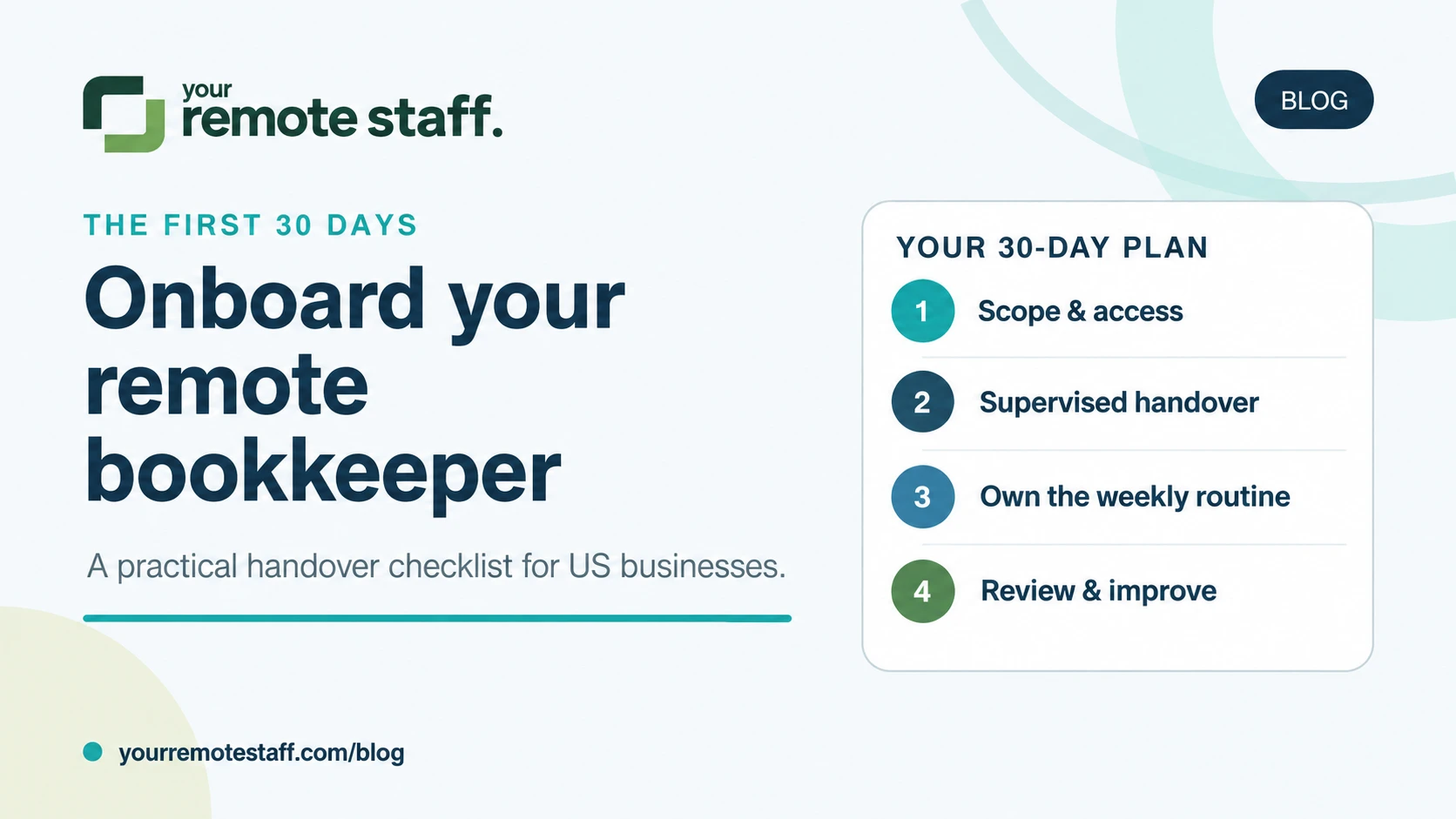
Start with a defined scope, named system access and a reviewer. Then move from supervised work to ownership of a repeatable weekly routine. During the first 30 days, establish which accounts are up to date, document unresolved items, test a small batch of real work and agree how reconciliation and reporting will be reviewed. Keep payment release and sensitive changes with your authorized decision-makers.
This is a suggested onboarding plan for a US small or medium business hiring a dedicated bookkeeper. It assumes you have an owner, finance lead or accountant available to review their work. A large historical backlog, missing records or a complex entity structure may need a separate cleanup project before routine handover.
The goal is not “give someone QuickBooks access.” It is to make recurring bookkeeping work predictable, with clear evidence of completion and a clear route for questions.
Before day one: define the work and the decisions
Write down the recurring work you want the person to own. Be specific about the accounting system, bank and card accounts, invoicing process, currencies, transaction sources and reporting expectations. Separate ongoing work from historical cleanup so the new hire does not inherit two undefined jobs.
| Workstream | Bookkeeper can prepare or maintain | Your designated reviewer retains |
|---|---|---|
| Transaction processing | Match records, attach supporting documents and apply agreed categories | Decisions on ambiguous items and changes to accounting policy |
| Accounts payable | Record bills, flag duplicates and prepare a payment proposal | Approval of payments, payment release and independent verification of bank-detail changes |
| Accounts receivable | Prepare invoices, track receipts and maintain a follow-up queue | Disputes, credit terms, refunds and write-off approval |
| Reconciliation | Compare records with statements and investigate differences | Review of unresolved differences and proposed corrections |
| Monthly reporting | Prepare agreed reports and an exceptions list | Review, interpretation and final sign-off |
This responsibility split is a starting point, not a substitute for your accountant’s judgment. Tax positions, filings and specialist accounting decisions should stay with the appropriately qualified person assigned to them. A job title alone does not establish those responsibilities.
If most of your need is transaction processing, reconciliation preparation and routine follow-up, review the dedicated bookkeeper role. If the bottleneck is specifically supplier invoices or collections, you may need a narrower role within an accounting and finance team.
Prepare a useful handover pack
Gather these items in an approved shared workspace. List missing information explicitly instead of waiting for a perfect pack.
- System map: accounting software, expense tools, billing systems and the owner of each account.
- Account list: bank and credit-card accounts, the last reviewed statement period and any known reconciliation gaps.
- Source documents: statements, invoices, bills and receipt folders, shared through your approved access process.
- Working rules: your existing chart of accounts, coding examples, document requirements and accountant-approved policies.
- Open items: missing documents, disputed invoices, suspected duplicates and unresolved balances.
- Calendar: payment-review days, invoicing dates, reporting deadlines and the reviewer’s availability.
- Escalation contacts: who answers operational questions, approves corrections and handles sensitive requests.
For every open item, record the question, amount or period affected, next action, owner and date raised. “Waiting for information” becomes useful only when somebody knows what information is needed and who will supply it.
Days 1–3: set up access and establish the baseline
Give the bookkeeper an individual account, with only the permissions needed for the agreed tasks. Keep ownership of the accounting subscription and primary administrator account with your business. Enable multi-factor authentication where supported, and avoid sharing an owner’s bank or accounting password.
Check the actual permissions rather than relying on a role name. Intuit’s documentation shows that QuickBooks permissions differ by role and subscription; custom roles are available in specified plans. Confirm the current options in your own setup before granting access. Source: Intuit’s user roles and access rights.
Review banking and payment-tool permissions separately. Access to bookkeeping records should not automatically give somebody authority to release money. If a software plan cannot separate the duties you need, decide on another workflow or plan before assigning the task.
Ask the new hire to produce a baseline summary: which periods are reviewed, which accounts need attention, what information is missing and which deadlines are at risk. Have your reviewer confirm it. This gives you a starting point against which progress can be assessed.
Days 4–7: work through a small batch together
Choose a representative set of current transactions: a routine expense, a customer receipt, a supplier bill, a transfer and an item that needs clarification. Demonstrate your process, then ask the bookkeeper to complete a comparable batch and explain the decisions.
Review the supporting documents, matching, categorization and exception handling. Do not judge the handover only by how quickly entries appear. A person who flags uncertainty early is more useful than someone who makes an unsupported entry to clear the queue.
Record the agreed procedure in a short checklist. For each task, define its input, completion criteria, reviewer and escalation path. Use the errors from the sample to improve the instructions before expanding the workload.
Example completion rule: A bill is ready for payment review when the supporting document is attached, supplier details match the approved record, duplicates have been checked, the coding follows our agreed rules and any unresolved question is clearly flagged. “Ready for review” does not mean “authorized to pay.”
Days 8–14: transfer the weekly routine
Hand over one complete workstream at a time. The bookkeeper should know what arrives, what they process, what they send for review and what remains open. Agree a short overlap window with your US team for questions; the rest of the work can follow a documented queue.
A simple weekly update can contain five lines:
- Work completed and the period covered.
- Work awaiting review.
- Missing documents and the person responsible for supplying them.
- Exceptions requiring a decision.
- Next deadline and any expected delay.
For example, a US agency might hand over supplier-bill preparation first, then customer-receipt matching and weekly receivables reporting. The owner still approves payments and resolves client disputes. This is an illustrative sequence, not a claim that every business can transfer those tasks in two weeks.
Days 15–21: test reconciliation and the reporting handoff
Choose a suitable statement period and ask the bookkeeper to prepare the reconciliation and explain every unresolved difference. Intuit defines reconciliation as comparing transactions in your books with bank or card statements; a downloaded bank feed alone is not evidence that this comparison is complete. Source: Intuit’s reconciliation guide.
Your reviewer should examine the supporting evidence and approve corrections through your established process. Do not encourage an unexplained adjustment simply to make a difference disappear.
Ask for a compact review pack: the agreed reports, reconciliation status, missing items and proposed next actions. If the first month-end has not occurred yet, rehearse the handoff using an appropriate completed period and schedule a separate review of the first live close.
Where do AI and automation fit?
Use automation to reduce repetitive work, but give someone responsibility for reviewing exceptions and maintaining the process. QuickBooks bank rules can categorize transactions, and an optional auto-post setting can confirm matching transactions automatically. Review existing rules before extending them to unfamiliar transactions. Source: Intuit’s bank-rules documentation.
Neither a bank rule nor an AI suggestion supplies missing business context. Someone still needs to obtain a receipt, clarify why a purchase was made, identify a duplicate, follow up with a customer and route a disputed item to the right decision-maker.
During onboarding, ask the bookkeeper to explain a few automated suggestions before accepting them. Document exceptions and get approval before changing rules with wider effects. Use only business-approved tools for financial data, with the access and data-handling arrangements your company requires.
Days 22–30: review ownership, quality and remaining gaps
Hold a handover review against the baseline from week one. Look for a reliable routine and explainable work, rather than a promise that all historical issues will be fixed in a month.
| Review area | Evidence to examine |
|---|---|
| Coverage | Named owner and documented steps for each agreed workstream |
| Timeliness | Agreed deadlines met, or delays communicated with a cause and next action |
| Quality | Reviewer corrections tracked and recurring mistakes addressed |
| Exceptions | Open items have an owner, age and next action |
| Controls | Permissions and approval boundaries match the agreed role |
| Continuity | Another authorized person can find the documents and understand the procedure |
Set targets from your actual workload and risk. A growing backlog could mean missing inputs, insufficient hours, unclear instructions or a skills mismatch. Diagnose the cause before treating it as an individual performance problem.
A brief you can use before hiring
Use these prompts to make the role easier to scope and screen:
- Business and systems: We are a US [business type] using [accounting and billing tools].
- Recurring workload: We need support with [workstreams], across [accounts/entities], at roughly [volume and frequency].
- Starting position: Records are reviewed through [period]. Known gaps are [items]. Historical cleanup is [included/separately scoped].
- Responsibilities: The bookkeeper prepares [outputs]. Our [owner/finance lead/accountant] reviews [decisions].
- Schedule: We need [time-zone overlap], with a weekly review on [day].
- First-month outcome: We want [specific routine] documented and handed over, with unresolved issues tracked.
You do not need a finished job description to enquire. If you have recurring full-time work and someone who can direct and review it, Your Remote Staff can help scope a dedicated bookkeeper working from our managed office in Pune. You manage the work; we handle recruitment and the employment and office support layer.
For a small amount of occasional work, a part-time bookkeeping service may be a better fit. Compare the scope and management responsibility before choosing. For a dedicated hire, tell us about your bookkeeping workload or review monthly staffing pricing and inclusions.
Common onboarding questions
What should I give a remote bookkeeper on the first day?
Provide a defined scope, individual system access, existing procedures, a list of accounts and reviewed periods, source documents and a named reviewer. Identify missing information and unresolved items explicitly.
Does a remote bookkeeper need my bank password?
Do not share your personal or owner login. Use separate authorized access where available, or share the approved statements and records needed for the task. Keep payment release with the person your business has authorized.
Can a remote bookkeeper replace my accountant?
Not automatically. Bookkeeping preparation and recurring administration are different from specialist accounting decisions and tax responsibilities. Define the scope and retain the qualified reviewer your business needs.
How long does onboarding a remote bookkeeper take?
This guide proposes a 30-day routine handover, not a guaranteed completion time. Missing records, historical cleanup, complex systems or limited reviewer availability can extend the process.
Do I still need a bookkeeper if I use AI accounting tools?
It depends on the work remaining. Automation can reduce repetitive processing, but someone must own missing documents, exceptions, reconciliation preparation and follow-up. A dedicated hire fits recurring full-time work; lighter needs may suit a part-time service.